Xbox Cloud Gaming Anmelden: How to Sign In and Start Playing in 2025
Want to play the latest AAA titles right away on your PC or mobile device without downloading massive files? Xbox Cloud Gaming (part of the Xbox Game Pass Ultimate subscription) allows you to stream games directly from Microsoft's powerful servers to your screen. By removing the need for expensive hardware or long installation times, cloud gaming opens up a world of entertainment on almost any device.
In this guide, learn how to set up and use the service effectively. Whether you are a seasoned gamer or a newcomer to the ecosystem, following these steps will ensure you experience a seamless transition into the cloud.
Requirements for Xbox Cloud Gaming
Before you attempt to sign in, ensure you have the following prerequisites ready to avoid connectivity or access issues:
- An Xbox Game Pass Ultimate Subscription: Cloud gaming is not available on the standard Game Pass for Console or PC tiers. You must have the Ultimate plan.
- A Compatible Microsoft Account: You need a valid account with a verified email address.
- Stable Internet Connection: While cloud gaming is flexible, a high-speed connection (preferably 20 Mbps or higher) is recommended to reduce latency and input lag.
- A Compatible Controller: While some games support touch controls on mobile, most titles require a Bluetooth or USB controller (such as an Xbox Wireless Controller).
Step-by-Step Guide: How to Sign in to Xbox Cloud Gaming
Depending on your device, the process for signing in may vary slightly. Follow these instructions to get started.
1. Signing In via Web Browser (PC and Mac)
The fastest way to play without downloading any software is through a web browser. This is ideal for users who want to play on a work laptop or a Mac.
- Open your preferred browser (Microsoft Edge is highly recommended for the best performance and lowest latency).
- Navigate to xbox.com/play.
- Click the "Sign In" button located in the top right corner of the page.
- Enter your Microsoft account credentials (email and password).
- Once authenticated, you will be redirected to the Cloud Gaming dashboard where you can browse the library.
2. Signing In via Xbox App (Windows 10/11)
If you prefer a dedicated interface, the Xbox app integrated into Windows provides a streamlined experience.
- Launch the Xbox App from your Start menu.
- If you aren't already signed in, click the profile icon in the top left and select "Sign In".
- Log in with the account associated with your Game Pass Ultimate subscription.
- Click on the "Cloud Gaming" tab in the sidebar to view available streamable titles.
3. Signing In on Mobile Devices (iOS and Android)
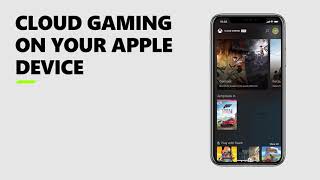
Playing on the go is one of the biggest advantages of the service. On Android, you can use the Xbox Game Pass app; on iOS, you use the browser-based portal due to App Store restrictions.
- Android: Download the Xbox Game Pass app from the Google Play Store, open it, and sign in with your Microsoft account.
- iOS: Open Safari, go to xbox.com/play, and sign in. For a better experience, tap the "Share" icon and select "Add to Home Screen" to create a shortcut that feels like a native app.
Troubleshooting Common Sign-In Issues
Sometimes, users encounter errors during the Xbox Cloud Gaming anmelden process. Here are the most common fixes:
Account Mismatch: Ensure that the account you are using to sign in is the same one that holds the active Game Pass Ultimate