Punctuation Anchor Chart: A Quick Reference for Teachers and Students
When classroom instruction moves from theory to practice, visual aids can make a big difference. A punctuation anchor chart is a simple, on‑wall resource that consolidates the rules and examples of punctuation into a single, easily accessible format. By keeping the chart visible, students can quickly check their work, reduce errors, and build confidence in writing.
Why a Punctuation Anchor Chart Matters
Grammar instruction often feels abstract, especially for younger learners. An anchor chart turns abstract rules into concrete visuals:
- Immediate reference – Students can look up a punctuation mark without leaving the page.
- Consistent reinforcement – The chart is a constant reminder of the rules covered in class.
- Supports diverse learners – Visual cues help students with reading difficulties or language learners who benefit from graphic organizers.
Common Punctuation Marks Covered
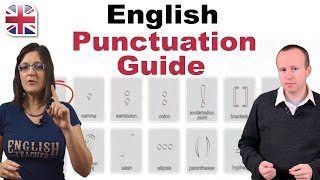
Below are the most frequently used punctuation marks in English, along with quick usage guidelines. These can be displayed on the chart in a clear, organized layout.
- Period (.) – Ends a declarative sentence.
- Comma (,) – Separates items in a list, clauses, or adjectives.
- Question mark (?) – Signals a direct question.
- Exclamation point (!) – Expresses strong feeling or emphasis.
- Colon (:) – Introduces a list, explanation, or quotation.
- Semicolon (;) – Connects closely related independent clauses.
- Dash (—) – Adds emphasis or breaks a sentence.
- Parentheses (()) – Encloses additional information.
- Quotation marks (“ ”) – Denotes spoken dialogue or a direct quote.
- Apostrophe (’) – Shows possession or contraction.
Designing an Effective Anchor Chart
Creating a chart that is both informative and engaging involves a few key steps:
- Keep it simple – Use bold headings and minimal text.
- Use color coding – Different colors for each punctuation type can aid memory.
- Add examples – Pair each rule with a short, relatable sentence.
- Include a “Common Mistakes” section – Highlight frequent errors like using a comma splice or missing an apostrophe.
- Make it interactive – Add a small blank space where students can write their own sentences and practice.
Integrating the Chart into Lessons
Once the chart is ready, incorporate it into daily instruction:
- Introduction – Show the chart at the start of a new grammar unit.
- Modeling – Refer to the chart while demonstrating sentence construction.
- Practice –