The Ultimate Guide to Using and Creating Printable Graph Paper
Whether you are a student tackling complex algebra, an architect sketching a floor plan, or a hobbyist designing a new craft project, printable graph paper is an indispensable tool. While digital software has advanced, the tactile experience of pen on paper remains the gold standard for brainstorming, planning, and organizing ideas.
Graph paper, also known as grid paper, consists of a series of intersecting horizontal and vertical lines that create small squares. This structure provides a consistent scale and alignment that blank paper cannot offer, making it essential for any task requiring precision.
Common Uses for Printable Graph Paper
The versatility of grid paper extends far beyond the mathematics classroom. Here are some of the most common ways people utilize printable graph paper to make their planning and sketching easier:
- Mathematics and Science: Plotting coordinates, drawing functions, and creating data charts.
- Technical Drawing: Drafting basic blueprints, circuit diagrams, or mechanical parts.
- Creative Arts: Creating pixel art, cross-stitch patterns, or knitting charts.
- Organization: Designing custom planners, habit trackers, or bullet journal layouts.
- Game Design: Mapping out dungeons for tabletop RPGs or designing board game layouts.
Choosing the Right Grid Size
Not all graph paper is created equal. Depending on your project, the size of the squares (the "scale") is critical for accuracy and readability.
1. Standard Quadrille Paper
The most common size is the 5mm or 1/4 inch grid. This is the general-purpose standard used for most schoolwork and general sketching. It provides a balance between detail and space.
2. Engineering Paper
Engineering grids are often more precise and may include different colors for major and minor lines. This allows users to easily identify larger increments (e.g., every 10 squares) without manually counting every line.
3. Millimeter Paper
For those requiring extreme precision, 1mm graph paper is the ideal choice. This is frequently used in high-level physics, chemistry, and professional drafting where a fraction of a millimeter can change the outcome of a calculation.
How to Create Your Own Printable Graph Paper
While you can download pre-made PDFs, learning how to create your own allows you to customize the line weight, color, and exact dimensions of the grid. There are several ways to achieve this using software you likely already own.
Using Microsoft Excel or Google Sheets
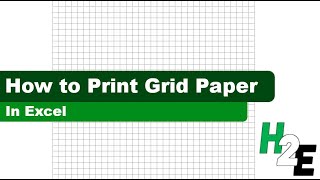
One of the fastest ways to make custom graph paper is through a spreadsheet. By adjusting the column width and row height to be identical (e.g., 20 pixels by 20 pixels), you create a perfect grid. You can then apply "All Borders" to the selected cells and print the sheet. This method is particularly useful if you want to create specific table headers or labels before printing.
Using Graphic Design Software
For those who want a professional look, tools like Inkscape, Adobe Illustrator, or Canva allow you to create a "grid pattern." You can set the stroke weight to be very thin (e.g., 0.25pt) and choose a light grey color so that the lines do not overpower your handwriting or drawings.
Tips for Printing High-Quality Grids
To ensure your printable graph paper is functional and accurate, keep these printing tips in mind:
- Select "Actual Size": When printing a PDF, ensure your printer settings are set to "Actual Size" or "100% Scale." If "Fit to Page" is selected, the printer may slightly shrink the grid, meaning your 5mm squares will no longer be exactly 5mm.
- Choose the Right Paper: For heavy ink use or markers, use a heavier cardstock or high-opacity paper to prevent bleed-through.
- Test the Contrast: If you find the