How To Improve VO2 Max Garmin Exercises
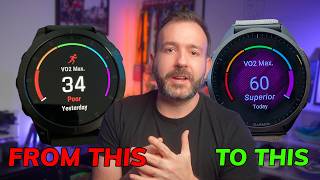
For athletes and fitness enthusiasts, VO2 max is a critical metric. It represents the maximum amount of oxygen your body can utilize during intense exercise. A higher VO2 max generally correlates with better cardiovascular efficiency and improved endurance performance. If you use a Garmin wearable, you have a built-in tool to track this metric and a platform to design exercises that can help increase it.
Understanding VO2 Max on Garmin Devices
Garmin watches estimate your VO2 max by analyzing the relationship between your heart rate and your pace (for running) or power (for cycling). It is important to note that this is an estimation based on algorithms. To ensure the most accurate readings, users should maintain an up-to-date heart rate zone profile and consistently wear their device during high-effort activities.
Effective Exercise Types to Increase VO2 Max
Improving your aerobic capacity requires pushing your cardiovascular system to its limits. To move the needle on your Garmin VO2 max score, you need a combination of steady-state aerobic work and high-intensity efforts.
1. Aerobic High-Intensity Intervals (HIIT)
High-intensity intervals are one of the most efficient ways to improve VO2 max. These exercises force the heart to pump more blood per beat (stroke volume) and improve the muscles' ability to extract oxygen.
- Interval Sprints: Perform 3 to 5 minutes of effort at roughly 90-95% of your maximum heart rate, followed by an equal amount of active recovery (walking or light jogging).
- The 4x4 Method: A gold standard for VO2 max improvement involves four intervals of four minutes each at a high intensity, with three-minute recovery periods between sets.
- Hill Repeats: Running or cycling up a steep grade increases the load on the heart and lungs, challenging your aerobic ceiling.
2. Zone 2 Base Training
While high-intensity work provides the peak stimulus, Zone 2 training (low-intensity steady state) builds the foundation. This involves exercising at a pace where you can still maintain a conversation.
Building a strong aerobic base increases mitochondrial density and capillary growth, which allows your body to transport oxygen more efficiently. A balanced plan typically follows an 80/20 rule: 80% low-intensity volume and 20% high-intensity intervals.
How to Set Up VO2 Max Workouts on Garmin
Rather than guessing your pace during a run, you can use Garmin Connect to build structured workouts. This ensures you hit the specific heart rate zones required to trigger physiological adaptations.
- Open Garmin Connect: Navigate to the "Training & Planning" section and select "Workouts."
- Create a Custom Workout: Choose your activity (e.g., Run or Bike).
- Set Heart Rate Zones: Instead of setting a target pace, set a target heart rate zone. For VO2 max intervals, target Zone 4 or Zone 5.
- Define Recovery: Add a "Recovery" step between intervals to allow your heart rate to drop, ensuring you can maintain the required intensity for the next set.
- Sync to Device: Send the workout to your watch so you receive real-time prompts and alerts during your session.
Factors That Influence Your Garmin Score
Improving your VO2 max is a gradual process. Several factors can influence how your Garmin device calculates your progress:
- Consistency: VO2 max does not jump overnight. It requires weeks of consistent training to see a trend upward.
- Rest and Recovery: Overtraining can lead to a plateau or a decrease in performance. Ensure you are utilizing Garmin's "Recovery Time" feature.
- Environmental Factors: Heat, humidity, and altitude can elevate your heart rate, which may temporarily skew the