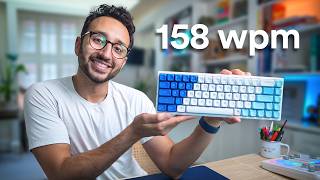
How To Improve Typing Speed: A Comprehensive Guide
In a digital-first world, typing efficiency is a critical skill. While the average person types approximately 40 words per minute (WPM), it is entirely possible to double that speed with the right technique and consistent practice. Improving your typing speed is not just about moving your fingers faster; it is about optimizing your ergonomics, mastering touch typing, and prioritizing accuracy over raw velocity.
The Foundation of Fast Typing: Touch Typing
The most significant hurdle to increasing speed is the habit of "hunting and pecking," where the typist looks down at the keyboard. To truly accelerate, you must master touch typing—the ability to type without looking at the keys.
Touch typing relies on muscle memory. By assigning each finger to a specific set of keys, you reduce the distance your hands must travel. The process begins with the home row (ASDF for the left hand and JKL; for the right hand). Your fingers should always return to this baseline position, allowing you to navigate the rest of the keyboard intuitively.
Prioritizing Accuracy Over Speed
A common mistake beginners make is trying to type as fast as possible from day one. However, speed is a byproduct of accuracy. When you prioritize speed over precision, you increase the frequency of errors, which forces you to stop and use the backspace key. This cycle significantly lowers your overall WPM.
To improve, focus on a "slow is smooth, smooth is fast" approach. Spend your initial practice sessions focusing exclusively on hitting the correct keys. Once your muscle memory is locked in and your error rate drops, your speed will naturally increase without additional effort.
Common Mistakes to Avoid
Many learners plateau because they adopt bad habits early on. To avoid these devastating mistakes, keep the following in mind:
- Looking at the Keyboard: This prevents the brain from developing the spatial awareness needed for high-speed typing.
- Poor Posture: Slouching or placing your wrists at an awkward angle can lead to fatigue and repetitive strain injuries.
- Using Only a Few Fingers: Relying on only two or three fingers per hand limits your maximum potential speed.
- Ignoring the Thumb: The spacebar should be handled exclusively by the thumbs to keep the other fingers ready for letters.
Advanced Techniques for Maximum Efficiency
Once you have mastered the basics of touch typing and accuracy, you can implement advanced strategies to further boost your productivity.
1. Master Keyboard Shortcuts
Typing speed isn't just about letters; it's about how you manipulate text. Learning shortcuts can save minutes of work every hour. Essential shortcuts include:
- Ctrl + Backspace: Deletes the entire previous word instead of a single character.
- Ctrl + Arrow Keys: Jumps the cursor across entire words.
- Ctrl + C / V / X: The standard for copying, pasting, and cutting.
2. Optimize Your Hardware
While not every typist needs a mechanical keyboard, the tactile feedback of certain switches can help you feel exactly when a key has been registered. Ensure your keyboard is positioned at a height that allows your elbows to remain at a 90-degree angle, reducing wrist strain.
3. Use Consistent Practice Tools
Consistency is the only way to build muscle memory. Rather than practicing for five hours once a week, practice for 15 to 30 minutes every day. Utilize online typing tutors and gamified platforms that track your WPM and highlight the specific keys where you struggle most.
Summary Checklist for Improvement
- Position: Place fingers on the home row.
- Focus: Prioritize 100% accuracy before increasing speed.
- Discipline: Stop looking down at the keys entirely.
- Expansion: Learn shortcuts to reduce