How to Get a Fortnite Tracker Download on Your Phone
For dedicated players of Fortnite Battle Royale, monitoring performance is key to improving skill levels. Whether you are tracking your Win percentage, K/D ratio, or progress toward a specific rank in the current chapter, having a Fortnite tracker accessible on your mobile device is a game-changer. While there is no single "official" app in the traditional app store sense for every single stat provider, you can easily set up a live stats dashboard on your phone.
Understanding Fortnite Live Stats
Fortnite trackers function by accessing the public API provided by Epic Games. This allows third-party websites to pull your Fortnite live stats in real-time. In Chapter 7 and beyond, players often look for specific metrics such as total victories, matches played, and seasonal progression. Instead of logging into a PC or console to check your profile, you can mirror this data directly onto your iOS or Android home screen.
How to Get a Fortnite Tracker on iOS Home Screen
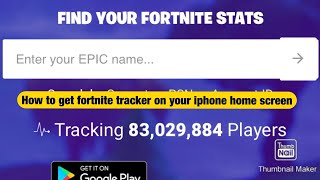
Since most high-quality Fortnite trackers are web-based, the best way to "download" them to an iPhone or iPad is by creating a Web App shortcut. This gives you one-tap access without needing to open a browser and type in a URL every time.
- Open Safari: Launch the Safari browser on your iOS device.
- Visit a Tracker Site: Navigate to your preferred Fortnite tracking website (such as Fortnite Tracker or TRN).
- Search Your Profile: Enter your Epic Games username to load your specific stats page.
- Tap the Share Icon: Look for the square icon with an upward arrow at the bottom of the screen.
- Add to Home Screen: Scroll down the menu and select "Add to Home Screen."
- Name the Shortcut: Rename it to "Fortnite Stats" and tap "Add."
Now, you have a dedicated icon on your home screen that functions similarly to a downloaded app, providing instant access to your Fortnite live stats.
Setting Up a Tracker on Android
Android users can follow a similar process using Google Chrome to ensure they have quick access to their performance data.
- Open Google Chrome and go to your chosen tracker website.
- Search for your Fortnite Battle Royale account.
- Tap the three vertical dots (menu) in the top right corner.
- Select "Add to Home screen."
- Confirm the name and place the icon on your dashboard.
How to Customize Your Tracker View
Once you have your tracker accessible on your phone, you may want to change what data is displayed first. Most tracking platforms offer customization options to help you focus on what matters most for your playstyle.
Common customization options include:
- Platform Filtering: Switch between viewing your overall stats or specific stats for PC, PlayStation, Xbox, or Switch.
- Timeframe Selection: Toggle between "Lifetime" stats and "Seasonal" stats to see how you are performing in the current chapter.
- Metric Priority: Some trackers allow you to pin specific stats, such as Headshot Percentage or Average Placement, to the top of the page.
Why Use a Mobile Tracker?
Having a Fortnite tracker download alternative on your phone is beneficial for several reasons:
First, it allows you to analyze your performance immediately after a match without needing to stay in the game menu. Second, it is an excellent tool for comparing your progress against friends or professional players. Finally, it helps in setting tangible goals—such as increasing your K/D ratio by 0.5—by providing a visual record of your growth.
Final Tips for Accuracy
If you find that your stats