Revitalizing the Capital Wasteland: A Guide to Fallout 3 HD Overhaul
Since its initial release, Fallout 3 has remained a cornerstone of the post-apocalyptic RPG genre. However, when comparing Fallout 3 vanilla to modern gaming standards, the visual gap is significant. While fans have long wondered if we are actually going to see an official remaster for this game, the community has taken matters into its own hands. Through the Fallout 3 HD Overhaul movement and comprehensive modlists, players can now experience the Capital Wasteland with stunning clarity.
Why Upgrade Your Fallout 3 Experience?
The basic edition of Fallout 3 was designed for the hardware of the late 2000s. This means low-resolution textures, muddy environments, and lighting that feels flat by today's standards. If you are looking to upgrade your experience, an HD overhaul is the most effective way to breathe new life into the game without altering the core gameplay mechanics.
High-definition texture packs replace the original, blurry assets with sharper, more detailed versions. This affects everything from the rusted metal of the ruins to the grit of the wasteland soil, making the environment feel more immersive and tangible. When paired with modern tools, the game can look surprisingly contemporary.
The Power of Modlists and Extended Editions
Installing individual mods can be a tedious process, often leading to stability issues or "mod conflicts" that cause the game to crash. This is why many players are turning to curated modlists, such as the Fallout 3 Extended Edition. These complexes are designed to be the best mod combinations, offering a streamlined installation process that includes:
- HD Texture Packs: Replacing vanilla surfaces with high-resolution alternatives.
- Stability Patches: Fixing long-standing bugs and crashes inherent in the original engine.
- Lighting Enhancements: Utilizing ReShade and ENB to improve color grading, shadows, and atmospheric effects.
- UI Improvements: Updating the HUD and menus for better readability on widescreen monitors.
By using a comprehensive modlist, you essentially create your own "unofficial remaster," allowing you to enjoy the depth of the original story with visuals that rival more recent titles like Fallout 4.
Enhancing Visuals with ReShade and ENB
While texture packs handle the "skin" of the game, ReShade and ENB handle the "mood." These post-processing tools allow players to inject new lighting engines into the game. Instead of the monochromatic green tint prevalent in the vanilla version, you can introduce dynamic shadows, ambient occlusion, and vibrant color correction.
For those who want the ultimate visual fidelity, combining an HD texture overhaul with a carefully tuned ENB preset transforms the game from a dated relic into a cinematic experience. This combination is what makes many modern modlists feel "insane" compared to the original release.
Technical Tips for a Stable Installation
Upgrading Fallout 3 requires more than just dragging and dropping files. To ensure your HD overhaul runs smoothly, consider the following steps:
- Start with a Clean Install: Always begin with a fresh installation of the game to avoid conflicts with old save files or outdated mods.
- Use a Mod Manager: Tools like Vortex or Mod Organizer 2 help track which files are being changed, making it easier to uninstall or update mods.
- Check Compatibility: Ensure your HD textures are compatible with your version of the game (Steam vs. GOG).
- Optimize Settings: High-resolution textures demand more VRAM. If you experience stuttering, try adjusting your anisotropy settings in the game launcher.
The Future of the Capital Wasteland
Whether Bethesda ever releases an official remaster remains a mystery. However, the dedication of the modding community ensures that Fall

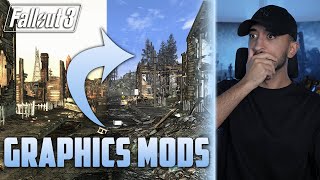


![Fallout 3 – Maximum Graphics Mod Overhaul vs. Vanilla Graphics Comparison [WQHD|1440p]](https://i.ytimg.com/vi/TJk75wxAF7Q/mqdefault.jpg)
![Fallout 3 – Fallout 4 Graphics Overhaul Tutorial | How-To ENG english englisch [FullHD]](https://i.ytimg.com/vi/hAXX3LnXorA/mqdefault.jpg)


