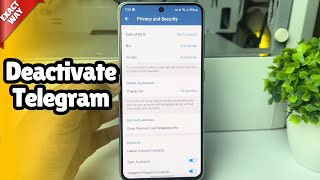
Deactivation Page for Telegram: A Complete Guide
If you’re wondering how do you delete your Telegram account or simply want to pause it, the official Deactivation Page is the place to start. This article walks you through every step, from locating the page to confirming the deactivation, and answers the most common questions that arise during the process.
What Is the Telegram Deactivation Page?
The Telegram Deactivation Page is a web‑based interface that lets you permanently delete your account. Unlike the mobile app, the page is accessed through a browser and requires your phone number, a confirmation code, and a final acknowledgment that the deletion is irreversible.
Why Use the Deactivation Page?
- Privacy control: Remove all personal data, chats, and media from Telegram’s servers.
- Account recovery: If you plan to return later, you can simply create a new account with the same number.
- Simplicity: The process is straightforward and does not require navigating through multiple app settings.
How to Access the Deactivation Page
To access the Deactivation Page, follow these quick steps:
- Open any web browser on your computer or mobile device.
- Navigate to https://my.telegram.org/auth?to=deactivate.
- Enter the phone number linked to your Telegram account, including the country code.
- Telegram will send a confirmation code via SMS or the Telegram app itself.
- Enter the code on the web page to verify your identity.
Step‑by‑Step Guide (HOW TO Deactivate)
Here’s how you can permanently delete your Telegram account using the Deactivation Page:
1. Verify Your Identity
After entering your phone number, you’ll receive a six‑digit code. Learn how to set your verification method in the Telegram app if you prefer receiving the code through the app rather than SMS.
2. Choose a Reason (Optional)
The page offers a drop‑down menu where you can select a reason for leaving. This step is optional but helps Telegram improve its service.
3. Confirm Deactivation
Read the warning carefully. The message will remind you that all your messages, contacts, and groups will be permanently removed. Click the Delete My Account button to finalize the process.
4. Wait for Completion
Telegram processes the request instantly. You’ll see a confirmation screen stating that your account has been deleted.
Learn How to Easily Reactivate (If Needed)
Even after deletion, you can start a new Telegram account