How to Deactivate Your Telegram Account Temporarily
Many users find themselves needing a break from the constant stream of notifications and messages on Telegram. Whether you are focusing on a project, taking a digital detox, or simply want to step away from social interactions for a while, knowing how to manage your account visibility is essential. However, a common point of confusion for users is whether they can deactivate a Telegram account temporarily in the same way one might deactivate a Facebook profile.
In this guide, we will explain the reality of Telegram's account management, how you can simulate a temporary deactivation, and the steps to permanently delete your account if that is your ultimate goal.
Can You Actually Deactivate Telegram Temporarily?
To be factual: Telegram does not offer a formal "temporary deactivation" button. Unlike some other social platforms, there is no single switch that hides your profile and freezes your account for a set period while keeping all your data intact for a future "reactivation" click.
However, you can achieve the same result by adjusting your privacy settings and removing the app from your device. Here is how you can effectively "go dark" on Telegram without losing your messages and contacts.
How to Simulate a Temporary Deactivation
If you want to stop using Telegram without deleting your data, follow these steps to ensure you aren't disturbed and your presence is minimized:
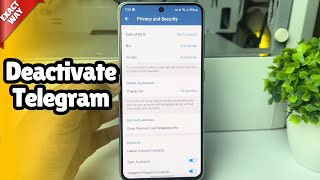
- Adjust Privacy and Security: Go to Settings > Privacy and Security. Change your "Last Seen & Online" status to Nobody. This prevents people from knowing when you were last active.
- Disable Notifications: Turn off all push notifications for the app in your phone's system settings. This ensures you aren't tempted to check the app.
- Hide Your Profile Photo: In the privacy settings, restrict who can see your profile photo to My Contacts or Nobody.
- Log Out or Uninstall: Once your privacy settings are locked down, you can log out of your account or simply uninstall the Telegram app from your smartphone.
By following this method, your account remains active on Telegram's servers, but to the outside world, you appear inactive. When you are ready to return, simply reinstall the app and log back in with your phone number.
How to Delete Your Telegram Account Permanently
If a temporary break isn't enough and you decide you want to remove your presence entirely, you have two options: the self-destruct timer or the manual deletion portal.
Option 1: The Self-Destruct Timer
Telegram has a built-in feature that automatically deletes your account after a period of inactivity. This is the closest thing to a "scheduled" deactivation.
- Open Telegram and go to Settings.
- Navigate to Privacy and Security.
- Scroll down to the Delete my account section.
- Select the timeframe (e.g., 1 month, 3 months, 6 months, or 1 year).
If you do not log into your account within that chosen timeframe, Telegram will permanently delete your account, including all messages, groups, and contacts.
Option 2: Immediate Manual Deletion
If you cannot wait for the timer and want your account gone immediately, you must use the Telegram Deactivation Page via a web browser:
- Visit the official Telegram Deactivation Page.
- Enter your phone number in international format (e.g., +1 for USA).
- Telegram will send a confirmation code to your Telegram app (not via SMS).
- Enter the code on the website and confirm the deletion.
Important Considerations Before Deletion
Before you decide to delete your account permanently, keep the following in mind: